

QR Codes for Events: Organizer Playbook to Cut Entry Time, Stop Fraud

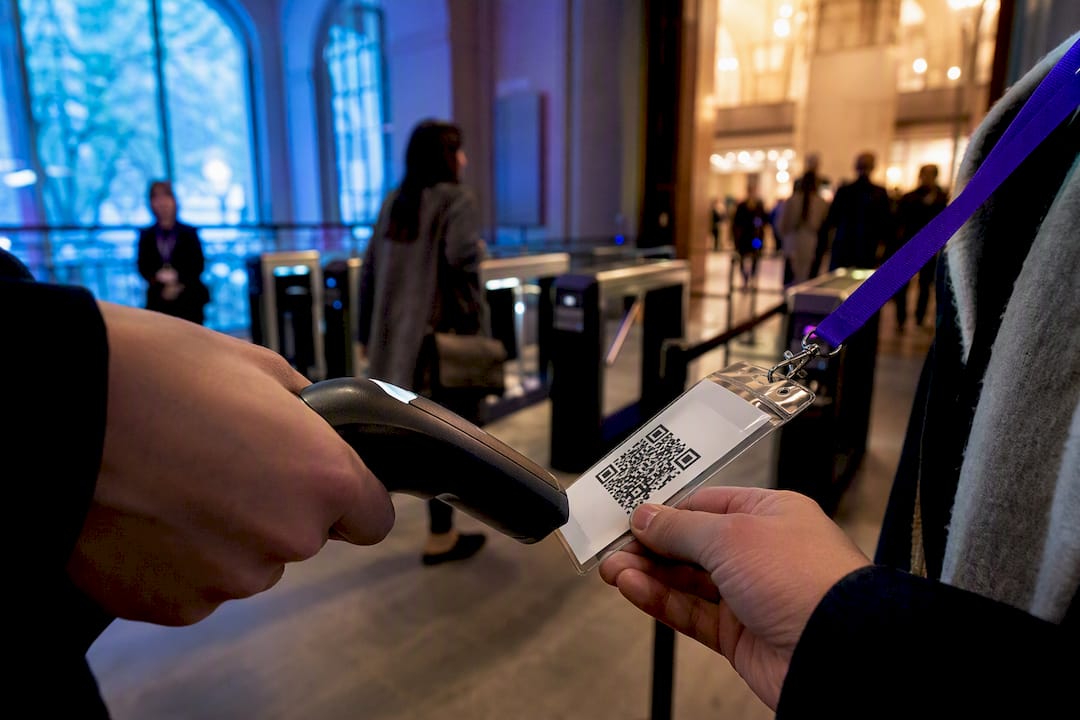
QR codes work for events because they solve a real logistics problem: getting someone from a poster, badge, or slide to the exact digital action you want, in one motion. Your first decision isn’t design or vendor. It’s whether your use case needs unique per-attendee codes (ticketing, check-in) or a shared dynamic code (schedules, sponsor booths, signage). Get that call right, then pick a generator that supports it.
TL;DR:
Use dynamic QR codes for printed materials and long-lived assets to allow easy re-pointing and updates without reprinting.
Map each placement and destination in advance, and test all codes thoroughly on-site under real event conditions to ensure reliable scanning.
Implement server-side validation and offline fallback options for fraud prevention and smoother check-in, especially with spotty Wi-Fi.
Track scan metrics by placement and route data into your CRM with UTM tags to measure marketing ROI and optimize for future events.
Prepare contingency plans for common issues like incorrect code type or poor scanability, and have staff ready to troubleshoot and re-point links in real time.
Table of Contents
Where QR Codes Actually Earn Their Place at an Event
QR codes for events aren’t a novelty add-on anymore. Marketers now report using them at every stage of the attendee journey, from the first save-the-date to the post-show survey, and events rank as the third most common deployment channel for QR codes among marketers, according to Bitly’s QR code statistics and survey. That spread across the funnel is the point. A code on a save-the-date postcard is doing a different job than a code on a lanyard, and treating them the same is how campaigns lose their measurement value.
Here’s how the placements typically break down by phase:
Pre-event promotion: posters, email footers, and social graphics link to registration forms or wallet-ready tickets, not a generic homepage.
On-site entry: unique-attendee QR tickets speed up check-in and produce a clean attendance log you can reconcile later.
Session and sponsor touchpoints: shared codes on slides, booth signage, and sponsor materials point to resources, lead forms, or contact capture.
Post-event: the same dynamic codes get re-pointed to recordings, photo galleries, or feedback surveys instead of going dead.
That last point matters more than most organizers realize. A single printed asset can serve three different purposes across the event lifecycle if the code behind it is dynamic.
Dynamic vs. Static: Choosing the Right Code Type
Static codes bake a destination permanently into the pixel pattern. Dynamic codes route through a short link you control, which means you can change where they point after the flyer is already printed and distributed. For events, that difference decides almost everything about which type to use.
Use dynamic codes for anything printed or long-lived. Posters, banners, badges, and programs should always run on dynamic short links since a re-pointed URL beats a reprint every time, a capability every major event QR platform, from OpenQR to RSVPify, builds around.
Match payload type to the touchpoint. A vCard payload makes sense at a networking mixer where attendees want to swap contact details instantly. A calendar-invite link fits a session schedule. A Wi-Fi payload belongs at registration desks and lounges where venue access is the actual friction point.
Keep personal data out of the code itself. Encoding a name, order number, or email address directly into the QR pattern is a privacy risk, since any consumer scanner app can decode that text instantly. Best practice, per security research on QR code use, is to encode a short token or link that references a record on your server, not the record itself.
Static codes still have a place, mainly for one-off, disposable uses like a single social post caption where the destination will never change and reprinting isn’t a concern.
How to Set Up QR Codes for Your Event, Step by Step
Building a QR code system for an event is less about the code and more about the workflow around it. Skip a step here and you’ll find out live, in front of a line of attendees.
Map every placement before you generate anything. Decide which touchpoints need unique attendee codes (tickets, badges) versus shared codes (signage, schedules), and assign a destination and UTM parameter to each one.
Choose a generator built for the job. You need dynamic short links at minimum. If you’re issuing per-attendee tickets, you need bulk unique-code generation too, a feature platforms like Supercode and Ticketor’s free event QR code generator both build campaigns around.
Design and export at the correct specs. Export vector formats like SVG for anything going to print, add a short CTA next to the code, and always include a fallback typed URL for accessibility.
Test on real devices, in real conditions. Run codes through iOS and Android, different camera brands, low light, and a folded or partially obscured print. Cvent’s check-in guidance treats this device and lighting sweep as the baseline testing checklist, not an optional extra.
Verify your offline validation path. If venue Wi-Fi is unreliable, confirm your scanner app can validate against a cached attendee list without a live connection.
Train staff on the scanner app and the failure path. Everyone working a gate needs to know what to do when a scan fails: zoom out, ask for the fallback link, or wave the attendee to a manual-check line.
Re-point codes the moment the event ends. Swap the destination from registration or check-in to the recording, gallery, or survey so the same printed asset keeps working.
Pro Tip: Build your UTM naming convention before you generate a single code. Retrofitting tags onto live links after the event starts means you lose attribution data you can never get back.
Ticketing and Check-In: Validation and Anti-Fraud Practices
Unique per-attendee codes, validated server-side, are the foundation of secure QR ticketing. Each code should be marked used the instant it’s scanned, which stops a screenshot of someone else’s ticket from working a second time at a different gate. This single design choice, a unique dynamic code per attendee paired with first-scan-wins logic, is what separates a fraud-resistant check-in system from a decorative one, according to Flyn’s event QR code guidance.
For venues with spotty connectivity, live server validation isn’t always practical, so offline strategies fill the gap:
Cached attendee lists loaded onto scanner devices before doors open, synced back once connectivity returns.
Cryptographically signed tokens that a scanner can verify without touching a server at all.
Both options carry a real trade-off worth knowing before you commit: offline systems can’t catch a duplicate scan in real time the way a live server check can, per Peasy QR’s ticketing guide.
Throughput is the other half of the equation. QR-based check-in has been shown to cut average entry time from roughly 12 seconds to about 3 seconds per attendee, according to OpenQR’s event guide. That gain mostly comes from parallel processing, not faster scanners: running multiple validation lanes, caching attendee data locally, and keeping per-scan latency under 500 milliseconds so a line of 500 people doesn’t back up past the lobby doors.
Design and Placement Rules That Actually Improve Scan Rates
A code that’s technically correct but poorly sized or placed will still get ignored. Size and error-correction level matter more than most organizers budget for:
Match code size to viewing distance. A code someone will scan from arm’s length (a table tent, a badge) can be small. A banner code meant to be scanned from six feet away needs to be several times larger.
Use a higher error-correction level for anything printed on fabric, signage, or outdoors, where folding, glare, or weather can obscure part of the pattern.
Keep a clean quiet zone around the code and never let a logo overlap more than the center module a standard generator reserves for it.
Test every code in low light before it goes to print. A code that scans fine under office lighting can fail entirely under dim event or stage lighting.
Pair every code with a short, explicit CTA (“Scan to register,” “Scan for Wi-Fi”) and a fallback typed URL underneath.
Use a distinct code per physical surface, even when the destination is the same, so scan data tells you which poster, banner, or table actually drove action.
Pro Tip: Print a small test batch and walk the actual venue floor with your phone before the full run goes to press. Lighting and distance look completely different on-site than they do on a laptop screen.
Which QR Tools Actually Fit an Event Workflow?
Not every QR generator is built for events, and the gap shows up fast once you need bulk attendee codes or offline check-in. Prioritize five features when evaluating a platform: dynamic short links, bulk unique-code generation, scanner or offline support, analytics with export, and API or integration access into your registration and CRM systems.
A few practical notes on picking between them:
Free generators like QRWink and QRStuff are fine for a single static sign or a low-stakes community event, but they’ll leave you stuck if you need to change a destination after printing.
Bulk, per-attendee generation is the dividing line between a marketing QR tool and a ticketing platform. Supercode, Peasy QR, and Eventbrite all build around it; simple generators generally don’t.
If your event has multiple phases (pre-show, live, recording), lean toward a platform like OpenQR or RSVPify that treats re-pointing as a core workflow, not a workaround.
For sponsor lead capture or booth traffic, Supercode’s campaign tracking features are built specifically for that use case.
Turning Scans Into Data You Can Act On
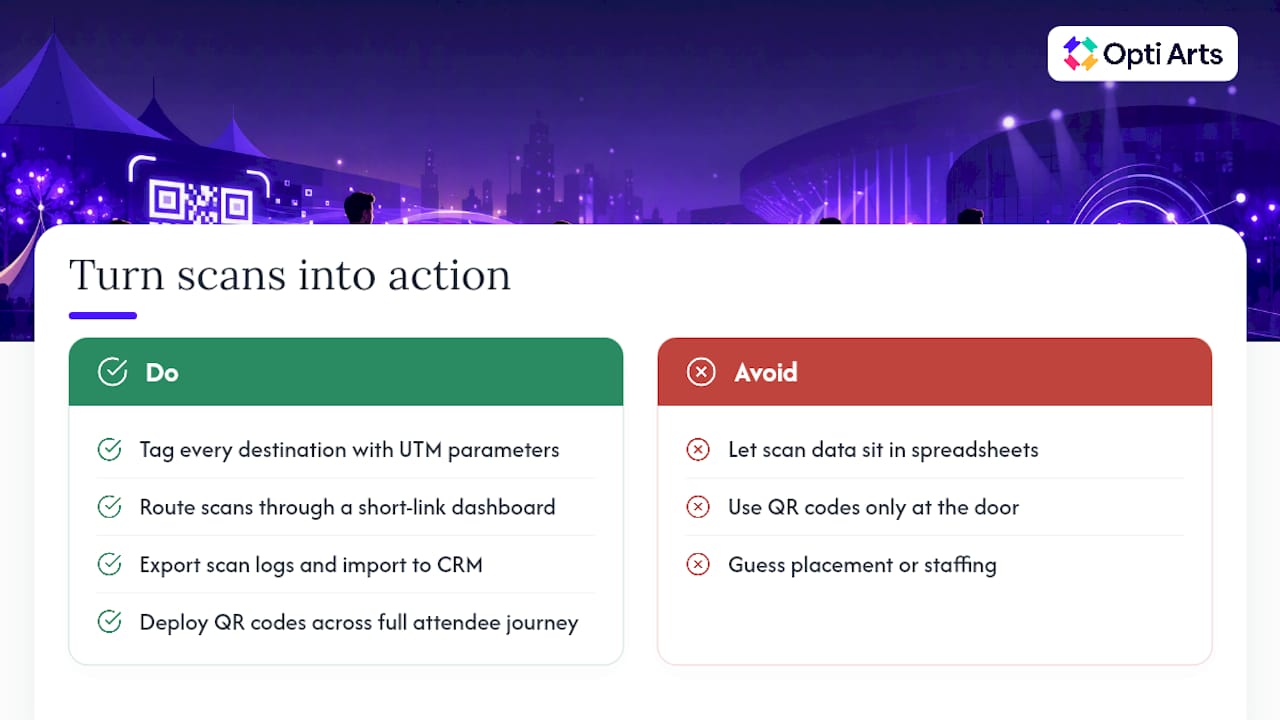
A scan without attribution is just a number. The metrics worth tracking are scans per placement, scan-to-registration conversion rate, check-in throughput per lane, and sponsor lead-capture rate from booth codes. Tag every destination with a UTM parameter and route scans through a short-link dashboard so you can tell which poster, badge, or email actually drove the action.
Export scan logs after the event and import them into your CRM for lead follow-up rather than letting that data sit in a spreadsheet nobody opens again. Marketers who deploy QR codes across the full attendee journey, not just at the door, are the ones building the pre-event-to-post-event data trail that shows real return on the 43% of marketers already using QR codes for event management.
Reading the data means asking specific questions: Did the badge codes outperform the poster codes? Did one entry lane run slower than the others? Use those answers to adjust placement and staffing at your next event instead of guessing again from scratch.
Fixing QR Problems on Event Day
Most live-day QR failures trace back to one of three causes, and all three are preventable with the right prep.
A static code was used where a dynamic one was needed, and now the destination is wrong with no way to fix it without reprinting.
Sensitive data was encoded directly in the code, creating a privacy exposure nobody noticed until it was already printed and distributed.
A code fails to scan on-site due to size, glare, or a scanner app that doesn’t support the payload format.
The fix in each case is fast if you’ve prepared for it. Re-point the dynamic link from a dashboard rather than reprinting anything. Switch struggling gates to cached, offline validation if connectivity drops. Have a fallback typed URL ready at every station, and assign one tech lead whose only job is re-pointing links and troubleshooting scanner issues in real time.
What Cultural Organizations Get Wrong About QR Data
Most venues treat QR codes as a check-in convenience and stop there. That’s a missed opportunity. Every scan is a data point that belongs in the same funnel as your paid media, not a separate, disconnected system that lives with the operations team.
Some agencies build campaigns for museums and theaters where QR codes on posters, programs, and email footers feed directly into the same attribution model used for Meta, Google, and Streaming TV spend. A scan from a lobby poster and a click from a retargeting ad should show up in the same dashboard, not two different spreadsheets nobody cross-references.
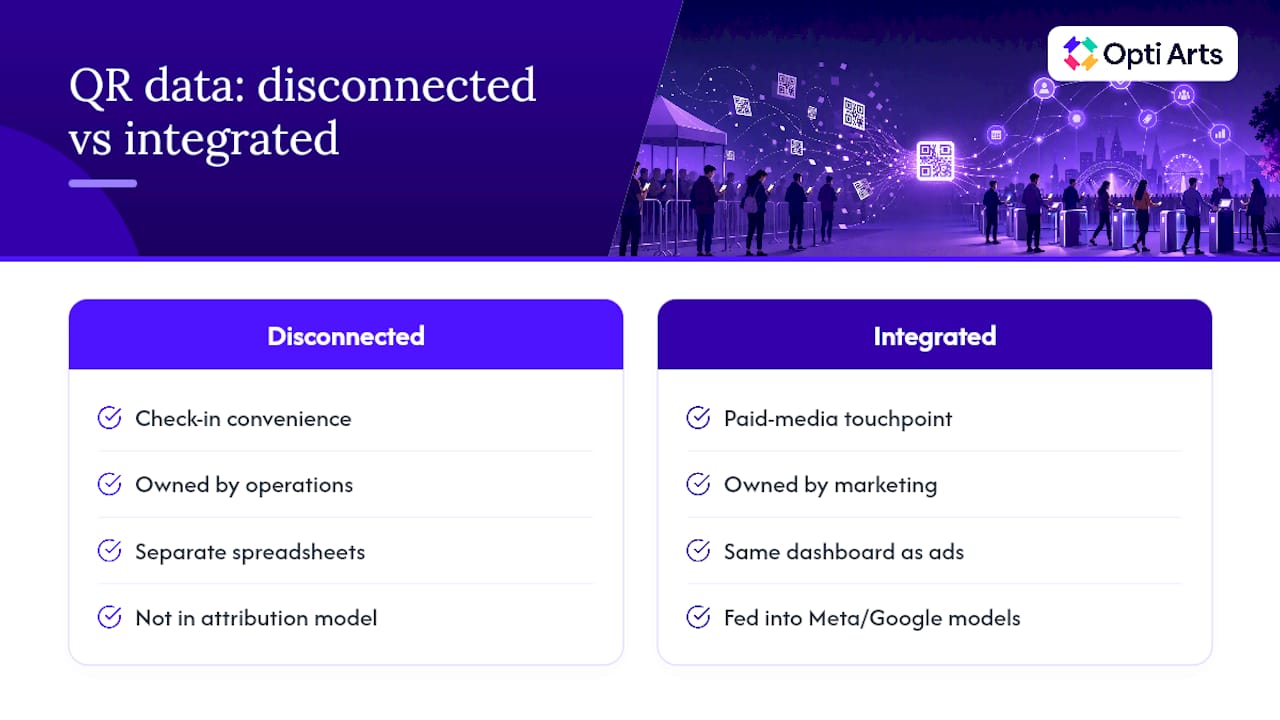
Some companies offer ticket-sales tracking dashboards that treat a QR scan the same way they treat an ad click, as a touchpoint on the path to a sale. For a theater running a season campaign, that means finally answering the question that usually goes unanswered: did the lobby signage actually drive renewals, or just look like it did?
QR codes are cheap to deploy and easy to dismiss as a minor tactic. Cultural organizations that connect them to real attribution are the ones getting more out of the same printed materials everyone else already has.
— Trevor
When to Bring In a Specialist for Your QR Campaign
A single-event QR setup, a badge scanner and a registration link, is well within reach for most in-house teams. The calculus changes once you’re running QR codes across multiple channels: a season-long campaign spanning Meta ads, email, printed programs, and Streaming TV, all needing to funnel into one attribution picture.

Some service providers run bespoke campaigns across Meta, Google, YouTube, Spotify, and Streaming TV with QR touchpoints built into the same attribution model from day one. Our Breakeven dashboard tracks ticket sales in real time against every channel driving them, printed QR codes included, so you can see which lobby banner or season brochure is actually converting.
If your organization is planning a season launch or a large-scale event where reliable attribution matters more than DIY setup time, request a look at our solutions and we’ll walk through what a managed campaign would look like for your venue.
Sources
OpenQr: QR codes for events guide
Recommended